Angular Signal Forms: Custom Controls Without ControlValueAccessor
Build reusable Angular custom controls with FormValueControl, model(), touch events, and schema-driven validation—without writing a ControlValueAccessor.

Kevin Kreuzer
@nivekcode
Aug 12, 2026
7 min read
Hey there Angular folks!
Custom form controls are one of those things that look simple until they have to behave like an actual form control.
A date picker can display a date. A tag selector can emit tags. A map can return an address.
So far, so good.
BUT
The moment we put that component inside a real form, value updates are only the beginning. The form also needs to know:
- is the control disabled?
- has the user touched it?
- is validation pending?
- which errors should be displayed?
- how can the form focus or reset it?
For years, the answer in Angular was ControlValueAccessor.
It works. It is battle-tested. It is also quite a lot of plumbing for a component that ultimately wants to say: "This is my value."
With Angular 22, the Signal Forms control contracts are stable. For most new custom controls, the bridge can now be a model() and a small interface.
A custom control should expose a form contract. It should not reimplement the form.
Let's build one with a real location picker that combines an address input, autocomplete, and an interactive map.
Value Binding Is Not Form Integration
Imagine we already have a standalone location picker:
<app-location-picker
  [address]="conferenceForm.location().value()"
  (addressChange)="conferenceForm.location().value.set($event)"
/>
This can synchronize a string. It is not yet a form control.
The parent still has to invent an event for touched state, forward disabled state, decide where errors are rendered, and repeat that adapter code everywhere the picker is used.
The first version usually grows into something like this:
<app-location-picker
  [address]="conferenceForm.location().value()"
  [disabled]="conferenceForm.location().disabled()"
  [errors]="conferenceForm.location().errors()"
  (addressChange)="conferenceForm.location().value.set($event)"
  (blurred)="markLocationTouched()"
/>
It can be made to work.
The problem is that every custom component creates its own private forms API. A date picker uses dateChange. A tag selector uses selectionChanged. A rich text editor emits contentUpdated. Every parent becomes a small integration layer.
Angular forms already have a control contract. Our component should join it.
Why ControlValueAccessor Became the Default
In Reactive Forms, a custom component normally joins the forms system through ControlValueAccessor.
Even a minimal implementation needs a few moving parts:
export class LocationPickerCva implements ControlValueAccessor {
  readonly value = signal('');
  readonly disabled = signal(false);

  #onChange: (value: string) => void = () => {};
  #onTouched: () => void = () => {};

  writeValue(value: string | null) {
    this.value.set(value ?? '');
  }

  registerOnChange(fn: (value: string) => void) {
    this.#onChange = fn;
  }

  registerOnTouched(fn: () => void) {
    this.#onTouched = fn;
  }

  setDisabledState(disabled: boolean) {
    this.disabled.set(disabled);
  }
}
Then every user interaction must update local state and call the correct callback:
onAddressInput(value: string) {
  this.value.set(value);
  this.#onChange(value);
}

onBlur() {
  this.#onTouched();
}
There is nothing fundamentally wrong with this API. It solved a difficult compatibility problem and existing ControlValueAccessor components continue to work with Signal Forms.
But Angular now has signal inputs, signal outputs, and model inputs. A callback registration protocol no longer needs to be the first choice for a new control.
The Signal Forms Contract Is Tiny
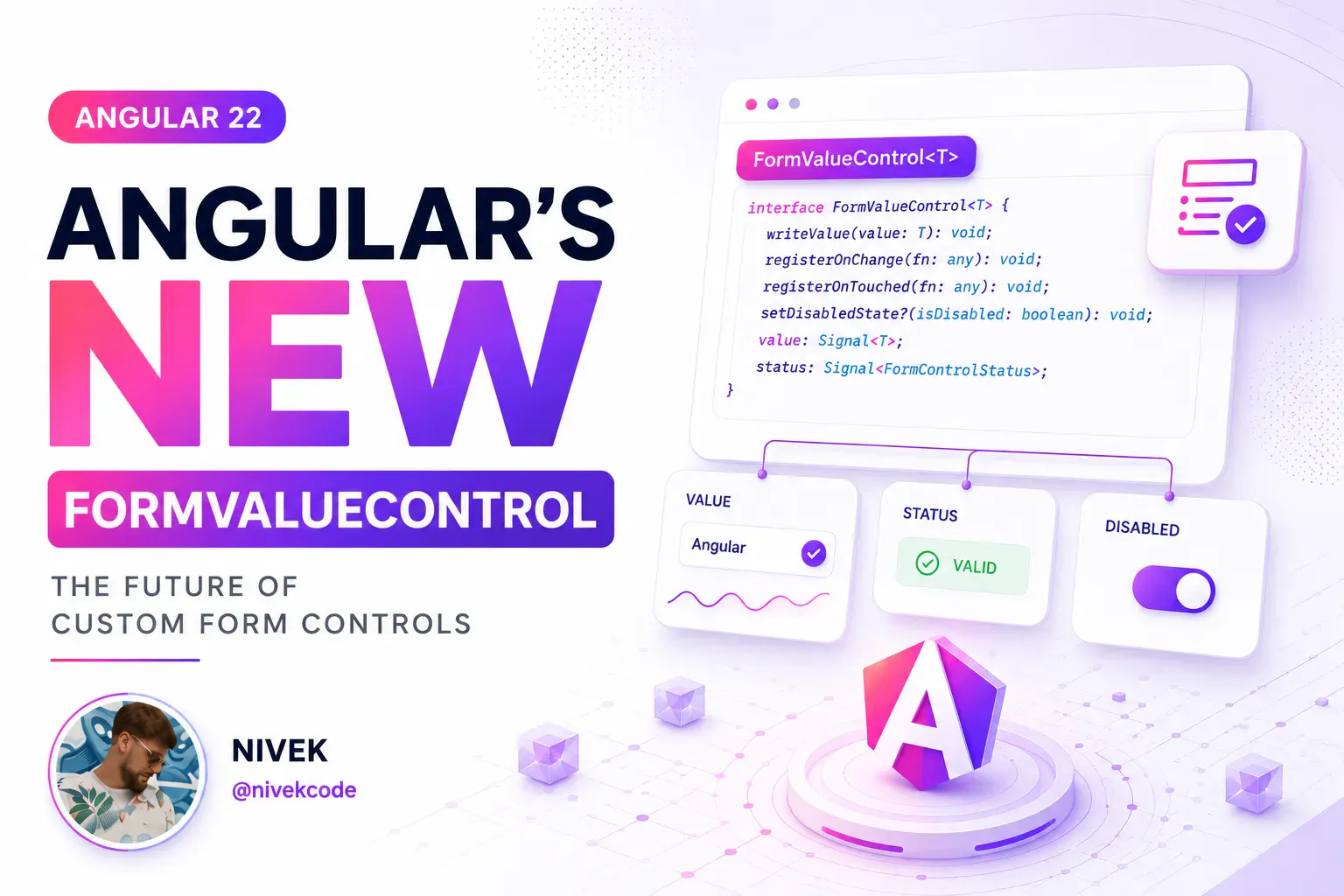
Most custom inputs can implement FormValueControl<T>.
The interface has one required property: a value model with the same type as the value edited by the control.
import { model } from '@angular/core';
import { FormValueControl } from '@angular/forms/signals';

export class LocationPicker implements FormValueControl<string> {
  readonly value = model('');
}
That is already a Signal Forms-compatible value control.
model() is the important part. It gives Angular a two-way signal contract:
- the form writes a new value into the control
- the control writes user changes back into the form
The parent binds the component just like a native input:
<app-location-picker [formField]="conferenceForm.location" />
No custom addressChange event. No manual value adapter in the parent. No NG_VALUE_ACCESSOR provider.
FormValueControl<string>says what the component is.value = model('')is the bridge.
This is the same model-first thinking that makes Signal Forms pleasant everywhere else. The field owns form state. The control exposes the narrow UI contract needed to edit it.
Internal Complexity Stays Internal
Our location picker is more than a text box.
The user can type an address and select an autocomplete suggestion. They can also click directly on a map, reverse-geocode the coordinates, and fill the address that way.
Both interactions update the same value model:
onAddressInput(value: string) {
  this.value.set(value);
}

onSelectSuggestion(suggestion: LocationSuggestion) {
  this.value.set(suggestion.displayName);
  this.#moveMarker(suggestion.lat, suggestion.lng);
}

async onMapClick(lat: number, lng: number) {
  const address = await this.#locationService.reverse(lat, lng);

  this.value.set(address ?? `${lat.toFixed(5)}, ${lng.toFixed(5)}`);
}
The parent form does not need to know which interaction produced the address.
It does not need to know about autocomplete requests, map markers, loading state, or reverse geocoding. From the form's perspective, this is simply a string field.
That boundary is what makes the control reusable.
Touched State Does Not Happen by Magic
Value is only one part of a form control.
Native inputs already have browser events that Angular can observe. A custom component has to tell the forms system when its interaction should count as a touch.
In Angular 22, add the optional touch output:
import { model, output } from '@angular/core';
import { FormValueControl } from '@angular/forms/signals';

export class LocationPicker implements FormValueControl<string> {
  readonly value = model('');
  readonly touch = output<void>();
}
Emit it when focus leaves the text input:
<input
  [value]="value()"
  (input)="onAddressInput($any($event.target).value)"
  (blur)="touch.emit()"
/>
And remember the non-keyboard interactions:
async onMapClick(lat: number, lng: number) {
  this.touch.emit();

  const address = await this.#locationService.reverse(lat, lng);
  this.value.set(address ?? `${lat.toFixed(5)}, ${lng.toFixed(5)}`);
}
That map click is easy to miss. If the user never focuses the text input, a blur handler alone will never run.
Once the control emits touch, [formField] updates the field's touched state. It also means form rules that depend on blur can treat the custom component like a native control.
If a control has several ways to interact, every meaningful interaction path needs the same form semantics.
Add Only the Form State Your UI Needs
FormValueControl extends FormUiControl, which offers a larger optional surface.
A control can receive disabled, readonly, hidden, invalid, pending, errors, required, minLength, and other field state. It can also implement focus() and reset().
The key word is optional.
If the location picker needs to disable its input and map, add a disabled input:
export class LocationPicker implements FormValueControl<string> {
  readonly value = model('');
  readonly touch = output<void>();
  readonly disabled = input(false);
}
<input
  [disabled]="disabled()"
  [value]="value()"
  (input)="onAddressInput($any($event.target).value)"
  (blur)="touch.emit()"
/>
When the form disables the location field, [formField] supplies the new state automatically.
Do not implement every optional property "just in case". Start with value. Add touch when the control has interaction semantics. Add disabled, errors, or focus() only when its UI needs them.
This keeps simple controls simple and still gives complex controls room to behave properly.
Validation Belongs to the Form Schema
The location picker should know how to edit an address.
It should not decide whether an address is required.
In our conference form, the location is required only for an in-person event:
readonly conferenceForm = form(this.#conferenceModel, (path) => {
  required(path.location, {
    message: 'Please enter a location.',
    when: ({ valueOf }) => valueOf(path.online) === false,
  });
});
That is business validation, so it belongs to the form schema.
The same picker can now be used in a venue form, user profile, or shipping flow with completely different rules. If the control wants to render errors itself, it can receive the optional invalid and errors inputs. It still does not own the rules that produced them.
Custom controls edit values. Schemas validate values.
This separation is small, but it prevents a reusable UI component from slowly turning into a conference-specific component.
Checkbox-Like Controls Use a Different Contract
Not every form control represents a general value.
A toggle or switch represents a boolean checked state. For those controls, use FormCheckboxControl and expose checked instead of value:
import { model } from '@angular/core';
import { FormCheckboxControl } from '@angular/forms/signals';

export class OnlineToggle implements FormCheckboxControl {
  readonly checked = model(false);

  toggle() {
    this.checked.update((value) => !value);
  }
}
The distinction helps Angular treat value-like controls and checkbox-like controls correctly while keeping both APIs explicit.
Does This Mean ControlValueAccessor Is Dead?
No.
Existing component libraries already contain years of working ControlValueAccessor controls. Rewriting them just to use a newer interface would rarely be a sensible migration strategy.
Signal Forms intentionally supports those controls for backward compatibility.
The more interesting Angular 22 change goes in the other direction: a new custom control built with FormValueControl or FormCheckboxControl can also be used with Reactive Forms and Template-Driven Forms without a second compatibility implementation.
That gives us a practical rule:
- keep proven
ControlValueAccessorcontrols - prefer the signal-native contracts for new controls
- migrate when there is a real maintenance or API-design benefit
This is not a flag-day migration. It is a better default for the next component you build.
Putting the Control Together
The relevant contract for our location picker stays surprisingly small:
@Component({
  selector: 'app-location-picker',
  templateUrl: './location-picker.html',
  changeDetection: ChangeDetectionStrategy.OnPush,
})
export class LocationPicker implements FormValueControl<string> {
  readonly value = model('');
  readonly touch = output<void>();
  readonly disabled = input(false);

  #locationService = inject(LocationService);

  onAddressInput(value: string) {
    this.value.set(value);
  }

  async onMapClick(lat: number, lng: number) {
    this.touch.emit();

    const address = await this.#locationService.reverse(lat, lng);
    this.value.set(address ?? `${lat.toFixed(5)}, ${lng.toFixed(5)}`);
  }
}
And the parent integration is one binding:
<app-location-picker [formField]="conferenceForm.location" />
The autocomplete and map implementation can be as advanced as the product needs. The public form contract does not have to grow with that internal complexity.
That is the real win.
Want to build this instead of only reading about it?
The Angular Signal Forms Workshop includes a dedicated hands-on custom-control lab using the full location picker: address search, autocomplete, map interaction, value synchronization, and touched state. You get the starter project, focused theory, the exercise, and the complete live-coded solution.
The workshop then connects this pattern with validators, subforms, form arrays, create/edit flows, data mapping, migration, configuration, and Standard Schema.
Do you enjoy the theme of the code preview? Explore our brand new theme plugin
Skol - the ultimate IDE theme

Northern lights feeling straight to your IDE. A simple but powerful dark theme that looks great and relaxes your eyes.
Build smarter UIs with Angular + AI
Angular + AI Video Course

A hands-on course showing how to integrate AI into Angular apps using Hash Brown to build intelligent, reactive UIs.
Learn streaming chat, tool calling, generative UI, structured outputs, and more — step by step.
Want a practical guide to Angular Signal Forms architecture, validation, and migration?
Angular Signal Forms eBook

Build typed, validated, production-ready Angular forms with signals using a model-first approach.
Learn schema-driven validation, form-state signals, custom controls, Reactive Forms migration, and clean API mapping patterns.
Do you enjoy the content and want to master Angular's brand new Signal Forms?
Angular Signal Forms: Hands-On Masterclass

Master Angular's brand new Signal-Forms through 12 progressive chapters with theory and hands-on labs.
Learn form basics, validators, custom controls, subforms, migration strategies, and more!

Get notified
about new blog posts
Sign up for Angular Experts Content Updates & News and you'll get notified whenever we release a new blog posts about Angular, Ngrx, RxJs or other interesting Frontend topics!
We will never share your email with anyone else and you can unsubscribe at any time!
Responses & comments
Do not hesitate to ask questions and share your own experience and perspective with the topic
You might also like
Check out following blog posts from Angular Experts to learn even more about related topics like Modern Angular or Signals !
Angular's Router Doesn't Have to Wait: Non-Blocking Route Resources
Learn how Angular 22.2 route resources can activate a route before secondary data arrives, with signal-based loading, error, cancellation, and reload states.
Kevin Kreuzer
@nivekcode
Oct 9, 2026
8 min read
Angular Signal Forms: The Missing Create/Edit Pattern
Learn a practical Angular Signal Forms pattern for create and edit flows, with route-based mode, edit data loading, linkedSignal prefilling, submit branching, and validation context.
Kevin Kreuzer
@nivekcode
Aug 1, 2026
6 min read
Angular Signal Forms Essentials
Understand the core concepts behind modern Angular Forms. Learn how to create Signal Forms, wire them up in templates, use built-in and custom validators, handle cross-field validation, submit forms, and more.
Kevin Kreuzer
@nivekcode
Feb 14, 2026
12 min read
Empower your team with our extensive experience
Angular Experts have spent many years consulting with enterprises and startups alike, leading workshops and tutorials, and maintaining rich open source resources. We take great pride in our experience in modern front-end and would be thrilled to help your business boom
