Angular Signal Forms: The Missing Create/Edit Pattern
Learn a practical Angular Signal Forms pattern for create and edit flows, with route-based mode, edit data loading, linkedSignal prefilling, submit branching, and validation context.

Kevin Kreuzer
@nivekcode
Aug 1, 2026
6 min read
Hey there Angular folks!
Create and edit forms are one of those things that look simple until they are not.
At first, everything points towards reuse. The fields are the same. The layout is the same. The validation rules are the same. The only real difference is that create starts empty, while edit starts from an existing record.
And that is exactly why we should usually build one form.
BUT
One form does not mean one big component full of random if statements. It needs a small pattern around it:
- the route defines whether we are creating or editing
- edit data is loaded only when an ID exists
- the form model starts from the right value
- submit branches in one obvious place
- validators receive the edit context they need
Create and edit are usually not two forms. They are two modes of one form.
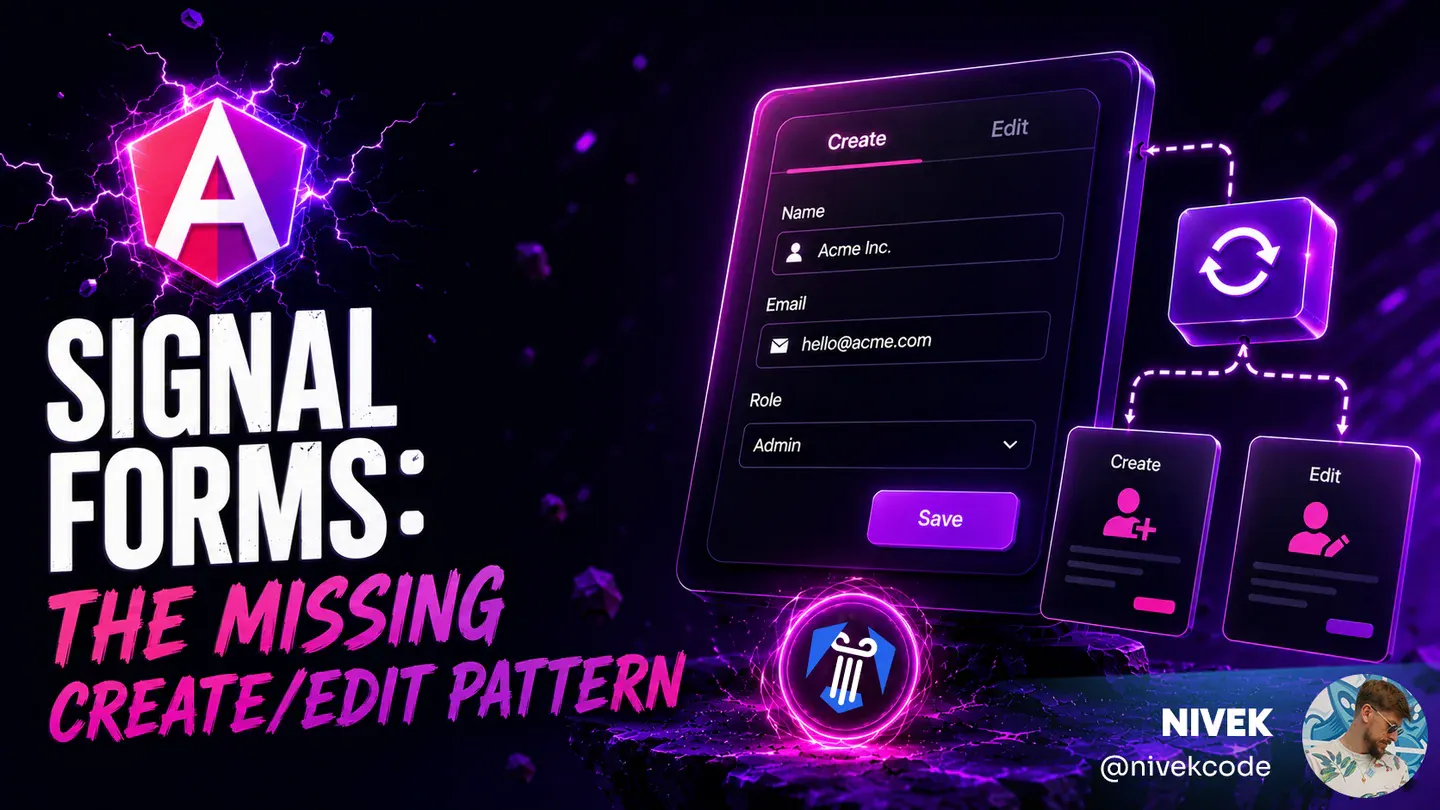
Here is the flow this article is based on. Create opens the empty form, submit navigates back to the list, and the edit action opens the same form again with the selected conference already loaded.

Create, list, and edit mode all belong to the same form workflow.
Let's build the pattern from the outside in.
Start With One Form
The first decision is not technical. It is about the workflow.
If create and edit have different fields, different permissions, different steps, or a completely different submit process, separate forms can be justified.
But most create/edit screens are not like that.
They are the same workflow:
- same fields
- same layout
- same validation
- different initial value
- different submit action
That should be one form.
If create and edit are the same workflow, one Angular Signal Form should be the default.
The rest of the article is about keeping that one form clean.
Let the Route Define the Mode
Create mode has no existing record. Edit mode has one.
That means the mode can come directly from the route:
- no
conferenceIdmeans create mode - a
conferenceIdmeans edit mode
This is why routes like these usually make the component more complicated:
/conference/form/new
/conference/form/0
/conference/form/create
They put something into the conferenceId position even though create mode has no conference ID. Then the component has to remember that new, 0, or create are special values and not real IDs.
That leads to checks like this:
if (id !== 'new') {
  // load the thing
}
or this:
if (id !== '0') {
  // probably edit mode?
}
This works, but it makes create mode look like edit mode with a fake ID.
Instead, let create mode be the absence of an ID:
export const conferenceRoutes: Routes = [
  {
    path: 'form',
    loadComponent: () =>
      import('./form/conference-form').then((c) => c.ConferenceForm),
  },
  {
    path: 'form/:conferenceId',
    loadComponent: () =>
      import('./form/conference-form').then((c) => c.ConferenceForm),
  },
];
Enable router component input binding:
export const appConfig: ApplicationConfig = {
  providers: [
    provideRouter(routes, withComponentInputBinding()),
  ],
};
Then the route parameter can become a signal input:
export class ConferenceForm {
  readonly conferenceId = input<string | undefined>();
}
If you want a named mode signal, derive it:
readonly isEditMode = computed(() => Boolean(this.conferenceId()));
Now the component has one source of truth.
The ID comes from the route. The ID defines the mode. The mode drives loading, labels, submit behavior, and validation context.
Load Data Only in Edit Mode
Once the route defines the mode, data loading becomes straightforward.
A create form should not call the backend to load a record that does not exist. With httpResource, the request can depend directly on the route ID:
readonly #conferenceResource = httpResource<ConferenceFormModel>(() =>
  this.conferenceId()
    ? `/api/conferences/${this.conferenceId()}`
    : undefined,
);
The trick is the undefined branch. When the httpResource request function returns undefined, Angular does not make a request.
In create mode, there is no ID, the function returns undefined, no request is made, and the form can start from an empty value.
In edit mode, there is an ID, the resource loads the existing conference, and the form can initialize from that loaded value.
The resource follows the mode. The component does not need fake IDs or "load and ignore" logic.
Initialize the Form from the Right Model
Signal Forms start from a model signal.
That is great for create mode because we can define an empty initial model:
const initialConferenceForm: ConferenceFormModel = {
  name: '',
  online: false,
  url: '',
  location: '',
  description: '',
  date: {
    start: new Date(),
    end: new Date(),
  },
};
Edit mode is the interesting part.
The existing conference usually arrives after the component has been created. If the form is initialized once with the empty value, the edit form can accidentally stay empty.
That is where patching effects often sneak in:
effect(() => {
  const conference = this.#conferenceResource.value();

  if (conference) {
    // patch form fields one by one
  }
});
This can be made to work, but now form initialization is split between the model and an effect.
linkedSignal() lets the model itself represent the right value:
readonly #conferenceFormModel = linkedSignal<ConferenceFormModel>(() => {
  const conference = this.#conferenceResource.value();

  return conference ?? initialConferenceForm;
});

readonly conferenceForm = form(
  this.#conferenceFormModel,
  conferenceSchema,
);
Now the same form model starts from the empty create value or from the loaded edit value. User input then writes into the model signal as usual.
The form does not need a patching effect when the model signal already represents the right initial value.
This model-first way of thinking is one of the big shifts in Signal Forms. In the Angular Signal Forms eBook, I go deeper into model signals, field trees, validation state, and how these pieces fit together in real forms.
Branch Submit in the Submission Action
One form can still have one submit action.
With Signal Forms, that action can live in the third argument of form() under the submission option. When the form is submitted through FormRoot, Angular runs this action only after validation passes.
The action can use the same isEditMode signal that drives the template:
readonly conferenceForm = form(
  this.#conferenceFormModel,
  conferenceSchema,
  {
    submission: {
      action: async (form) => {
        const value = form().value();

        if (this.isEditMode()) {
          await firstValueFrom(
            this.#conferenceApi.updateConference(this.conferenceId()!, value),
          );
          this.#snackBar.open(`Conference ${value.name} updated.`, 'Close');
        } else {
          await firstValueFrom(this.#conferenceApi.addConference(value));
          this.#snackBar.open(`Conference ${value.name} created.`, 'Close');
        }

        await this.#router.navigate(['conference', 'list']);
      },
    },
  },
);
The template can use the same signal for the button label:
<form [formRoot]="conferenceForm">
  <!-- form fields -->

  <button type="submit" [disabled]="conferenceForm().submitting()">
    {{ isEditMode() ? 'Update' : 'Create' }}
  </button>
</form>
The important part is that the branch still happens in one obvious place:
if (this.isEditMode()) {
  updateConference(this.conferenceId()!, value);
} else {
  addConference(value);
}
The route still gives us the ID. The ID still defines the mode. But the submit behavior now lives where Signal Forms expects it: inside the form submission action.
No separate isEditing flag that can get stale. No duplicated submit handlers. No guessing.
If you are evaluating Signal Forms for production-style form flows, submission is one of the parts worth understanding properly. The Angular Signal Forms eBook covers submission, validation, metadata, custom controls, and migration paths as one connected story.
Pass Edit Context into Validators
Create and edit usually share validation rules, but edit mode can still need extra context.
A classic example is a uniqueness check against the backend.
In create mode, a conference name is invalid if any existing conference already uses it. In edit mode, the conference already exists in the backend, and it already uses its own name. Keeping that name should not fail.
That means the backend check needs to know whether the validation runs for create or edit.
The validator can pass the current conferenceId to the backend when we are in edit mode. In create mode, there is no conferenceId, so it sends an empty value instead.
Then the backend can handle both cases:
- if an ID is passed, it checks whether the name is unique while excluding the record we are editing
- if no ID is passed, it checks whether the name is unique across all existing records
The validator does not need the router. It does not need to know about route params. It does not need to know whether the component is in create or edit mode.
It only needs the context required for validation:
export function uniqueName(
  path: SchemaPath<string>,
  conferenceId: Signal<string | undefined>,
) {
  validateHttp(path, {
    request: (ctx) => ({
      url: '/api/conferences/name-availability',
      params: {
        name: ctx.value(),
        id: conferenceId() ?? '',
      },
    }),
    onSuccess: toNameAvailabilityError,
  });
}
Pass edit context into validators. Do not make validators discover it themselves.
That keeps the validator reusable while making the edit-specific rule explicit.
The eBook also spends a full chapter on validation patterns like this: sync validation, async validation, cross-field validation, and backend-backed checks that still keep the form model clean. You can find it here: Angular Signal Forms.
Putting the Relevant Parts Together
If we put the important pieces into one component, the pattern stays pretty small.
The route provides an optional conferenceId. The resource uses that ID to decide whether it should load edit data. The form model starts from either the loaded conference or the empty initial value. Submit uses the same ID to choose between create and update. The validator receives the same ID as edit context.
export class ConferenceForm {
  readonly conferenceId = input<string | undefined>();
  readonly isEditMode = computed(() => Boolean(this.conferenceId()));

  readonly #conferenceResource = httpResource<ConferenceFormModel>(() => {
    const id = this.conferenceId();

    return id ? `/api/conferences/${id}` : undefined;
  });

  readonly #conferenceFormModel = linkedSignal<ConferenceFormModel>(() => {
    const conference = this.#conferenceResource.value();

    return conference ?? initialConferenceForm;
  });

  readonly conferenceForm = form(
    this.#conferenceFormModel,
    (path: SchemaPath<ConferenceFormModel>) => {
      required(path.name, {
        message: 'Please enter a conference name.',
      });
      uniqueName(path.name, this.conferenceId);
    },
    {
      submission: {
        action: async (form) => {
          const value = form().value();

          if (this.isEditMode()) {
            await firstValueFrom(
              this.#conferenceApi.updateConference(this.conferenceId()!, value),
            );
            this.#snackBar.open(`Conference ${value.name} updated.`, 'Close');
          } else {
            await firstValueFrom(this.#conferenceApi.addConference(value));
            this.#snackBar.open(`Conference ${value.name} created.`, 'Close');
          }

          await this.#router.navigate(['conference', 'list']);
        },
      },
    },
  );
}
The template can stay equally direct:
<form [formRoot]="conferenceForm">
  <!-- form fields -->

  <button type="submit" [disabled]="conferenceForm().submitting()">
    {{ isEditMode() ? 'Update' : 'Create' }}
  </button>
</form>
One optional route ID drives loading, initialization, submit behavior, button text, and edit-aware validation.
Want to go deeper into Angular Signal Forms?
In the Angular Signal Forms eBook, I cover this pattern with a full running conference form, plus validators, async validation, submission, metadata, subforms, custom controls, migration strategies, Standard Schema, and more.
Do you enjoy the theme of the code preview? Explore our brand new theme plugin
Skol - the ultimate IDE theme

Northern lights feeling straight to your IDE. A simple but powerful dark theme that looks great and relaxes your eyes.
Build smarter UIs with Angular + AI
Angular + AI Video Course

A hands-on course showing how to integrate AI into Angular apps using Hash Brown to build intelligent, reactive UIs.
Learn streaming chat, tool calling, generative UI, structured outputs, and more — step by step.
Want a practical guide to Angular Signal Forms architecture, validation, and migration?
Angular Signal Forms eBook

Build typed, validated, production-ready Angular forms with signals using a model-first approach.
Learn schema-driven validation, form-state signals, custom controls, Reactive Forms migration, and clean API mapping patterns.
Do you enjoy the content and want to master Angular's brand new Signal Forms?
Angular Signal Forms: Hands-On Masterclass

Master Angular's brand new Signal-Forms through 12 progressive chapters with theory and hands-on labs.
Learn form basics, validators, custom controls, subforms, migration strategies, and more!

Get notified
about new blog posts
Sign up for Angular Experts Content Updates & News and you'll get notified whenever we release a new blog posts about Angular, Ngrx, RxJs or other interesting Frontend topics!
We will never share your email with anyone else and you can unsubscribe at any time!
Responses & comments
Do not hesitate to ask questions and share your own experience and perspective with the topic
You might also like
Check out following blog posts from Angular Experts to learn even more about related topics like Modern Angular or Signals !
Angular's Router Doesn't Have to Wait: Non-Blocking Route Resources
Learn how Angular 22.2 route resources can activate a route before secondary data arrives, with signal-based loading, error, cancellation, and reload states.
Kevin Kreuzer
@nivekcode
Oct 9, 2026
8 min read
Angular Signal Forms: Custom Controls Without ControlValueAccessor
Build reusable Angular custom controls with FormValueControl, model(), touch events, and schema-driven validation—without writing a ControlValueAccessor.
Kevin Kreuzer
@nivekcode
Aug 12, 2026
7 min read
Angular Signal Forms Essentials
Understand the core concepts behind modern Angular Forms. Learn how to create Signal Forms, wire them up in templates, use built-in and custom validators, handle cross-field validation, submit forms, and more.
Kevin Kreuzer
@nivekcode
Feb 14, 2026
12 min read
Empower your team with our extensive experience
Angular Experts have spent many years consulting with enterprises and startups alike, leading workshops and tutorials, and maintaining rich open source resources. We take great pride in our experience in modern front-end and would be thrilled to help your business boom
